


.png)


ACCOUNT SECURITY
Log in to change your password.
Deposit or Transfer only to the accounts below
 Bank: CAIXA - 104
 Bank: INTER - 077
PIX CNPJ 60.095.119/0001-17

You must be logged in to report a payment!
Please log in or register.
If you have any questions, contact us!
PIX CNPJ 60.095.119/0001-17
You must be logged in to report a payment!
Please log in or register.
If you have any questions, contact us!

Flash stock rom usando o RockChip Batch Tool
Passo 1 : Baixe e instale o Rockchip Driver Assistant no seu computador.

Passo 2 : Baixe e extraia o RockChip Batch Tool no seu computador. Após a Extração, você poderá ver os seguintes arquivos:

Passo 3 : Agora abra o RKBatchTool.exe a partir dos arquivos extraídos.

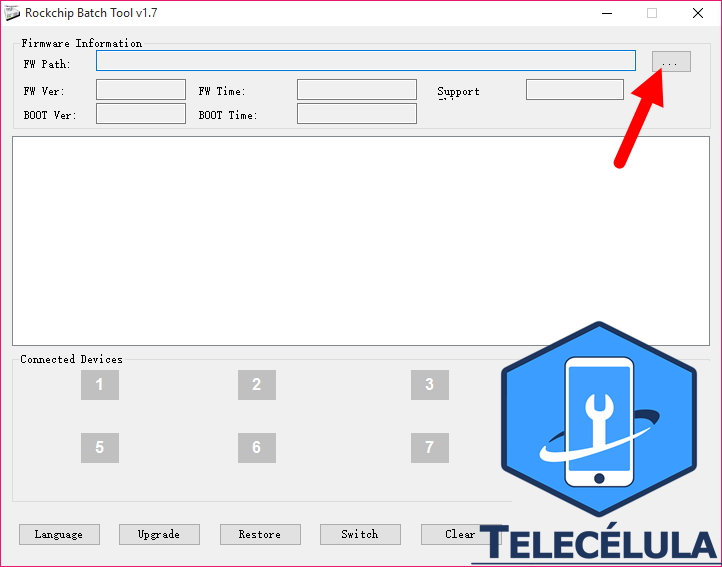
Etapa 4 : Depois que o RKBatchTool.exe for iniciado, clique na caixa à direita do caminho FW.
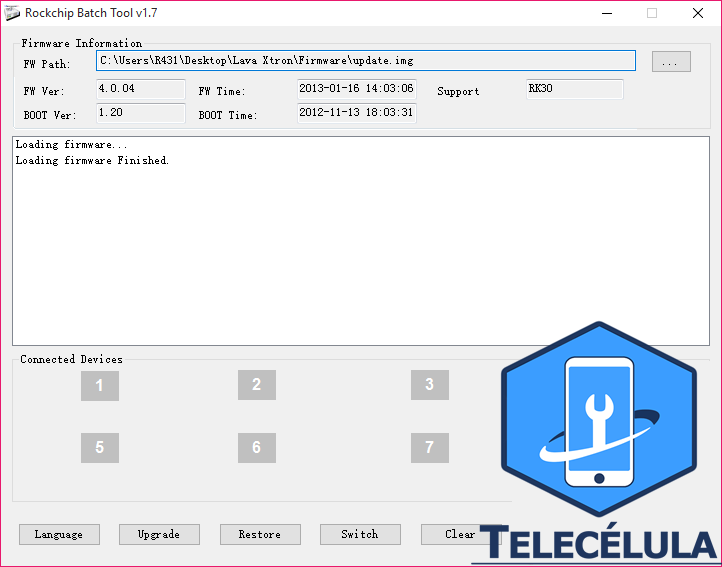
Passo 5 : Depois de ter adicionado o firmware com sucesso, o RockChip Tool irá carregá-lo.
Passo 6 : Agora, desligue o seu smartphone e tablets.

Passo 7 : Agora, pressione e segure a tecla Aumentar volume no seu smartphone e conecte -o ao computador usando o cabo USB.

Etapa 8 : não solte a tecla Aumentar volume no seu smartphone até que o ícone 1 fique verde em cores.
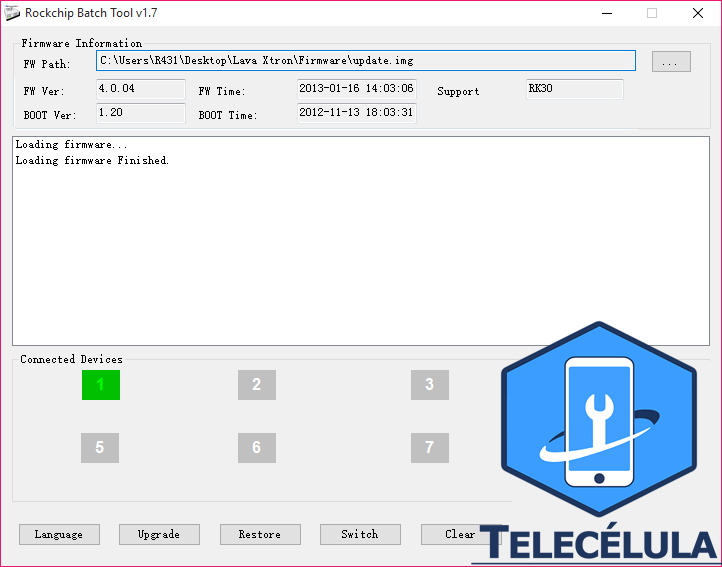
Etapa 9 : Depois que seu dispositivo for adicionado ao computador, clique no botão Restaurar para iniciar o processo de Flashing.

